Move from Linktree to MonoProfile: import your page
MonoProfile imports a public Linktree page from its address: your links with their thumbnails, sections, social icons and, if you choose, your name, bio, photo and appearance, after a preview of what will and will not come over. Your Linktree page itself does not change: only the link in your bios is left to replace.
How the import works
The import reads the public page at the address you paste (linktr.ee/yourname).
- In the MonoProfile editor, choose Import, or fill in the optional field when you create a new page.
- Paste the address. A preview lists what will be imported and what will not, with the reason for each item.
- Choose to keep your current blocks and add the imported ones after them, or to replace them: replaced blocks go to the archive, where you can restore them.
- Choose whether to also replace your name, bio and photo, and whether to apply the background, text color, buttons and font.
- Confirm. Images are copied to MonoProfile, so your page no longer depends on the original site.
One import brings in up to 150 blocks and 24 images.
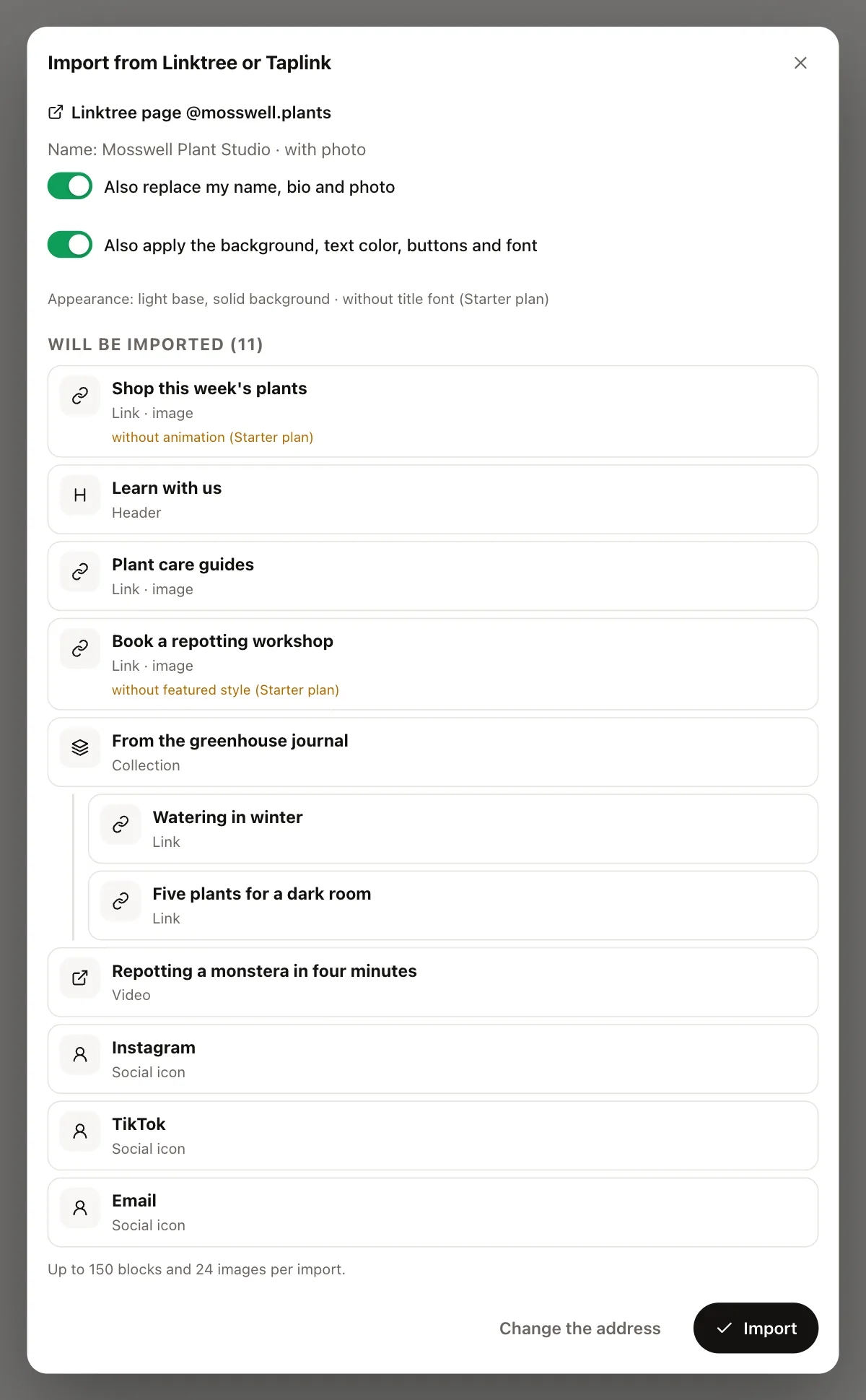
What comes over from Linktree
- your name, bio and photo;
- each link with its title, address and thumbnail;
- section headers and collections shown as a list, grid or carousel;
- social icons, at the top or the bottom of the page;
- when the page has them: videos, music (Spotify, Apple Music, SoundCloud, Deezer, Audiomack), your latest YouTube video, X posts, Pinterest, Calendly, Typeform and Google Maps;
- the page's sensitive content setting, and its appearance when it carries over: light or dark base, background, text color, buttons, the font if MonoProfile has it, and a background image from the Starter plan up.
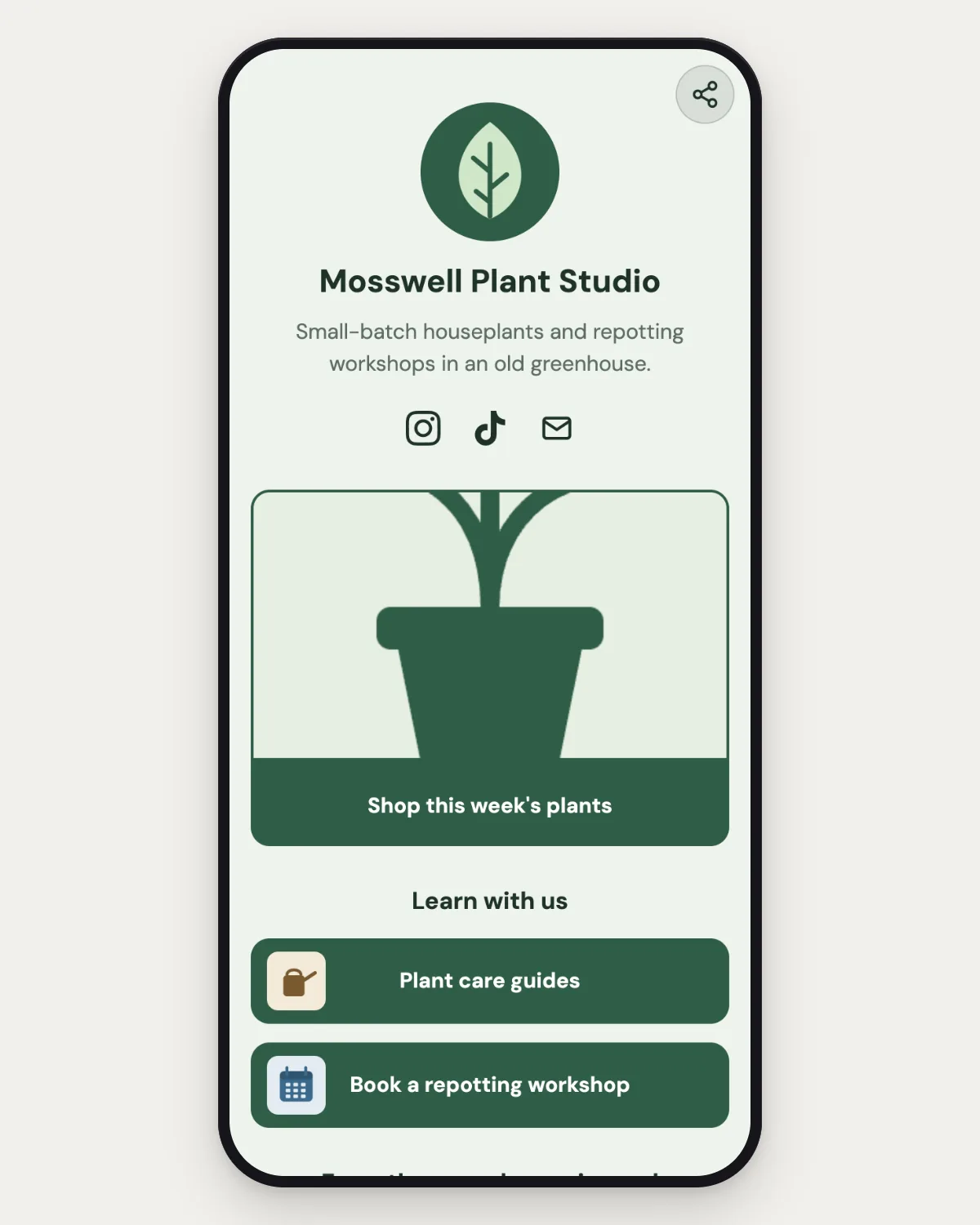
What does not come over
- links protected by a code, a password or an NFT: the secret is not on the public page;
- payments, courses, tips and shops run by Linktree itself: MonoProfile does not collect payments;
- image-only blocks, custom HTML, timers and pricing grids;
- background videos, animations and fonts that MonoProfile does not have;
- your statistics, subscribers and link schedules: they belong to your Linktree account and are not on the public page.
If the page cannot be read
If Linktree does not answer, the page is not found, or its format has changed, MonoProfile tells you in a clear message and writes nothing to your page.
If an image cannot be copied, its item is imported without it, and the preview says so.
Plans
The import is available on every plan, Free included. What your plan does not include, such as extra featured links, animations, locks or paid styles, is left out and listed in the preview.
After the import
- Replace the link in each bio: Instagram, TikTok, YouTube, X, podcast pages, email signature.
- Replace printed QR codes with the QR code of your MonoProfile page, included in the free plan.
- Add UTM parameters to the link in each bio to see which channel sends visitors.
- Keep your Linktree page online until every bio points to MonoProfile.
Your MonoProfile page counts views and clicks without setting cookies on your visitors: how cookie-free analytics work.
Questions
Is the import free?
Yes. It is available on every plan, Free included; what your plan does not include is left out and listed in the preview.
Does the import change my Linktree page?
No. It only reads your public page.
Are my Linktree statistics and subscribers imported?
No. They belong to your Linktree account and do not appear on the public page. Link schedules are not imported either.
Can I import a Taplink page too?
Yes, the same way: import from Taplink.
The free plan is available now. No card needed.